The whole practice, in one place.
Legal AI and practice management for South African attorneys. Everything below is built and running today; where something is planned rather than built, it says so.
AI legal research
Ask a legal question with “Look up the law” on. Lexor fetches the sections first, then answers about your matter, citing the exact subsections.
Drafting
“Draft with AI” writes from the matter's facts and checks every reference to legislation. Then tell the AI what to change: “make it firmer, give them 10 days”.
Contract review
Upload a contract and get an overall risk score, each issue with its severity and clause, and a recommendation for each, in about half a minute.
Compliance
Lexor reads every certificate and registration the firm uploads, a person confirms the dates, and it warns the firm before anything lapses.
Matters and deadlines
Every file, note and statutory date in view. Open a matter and the deadline goes in the diary. A firm-wide conflict check warns you before it's too late.
Time and invoicing
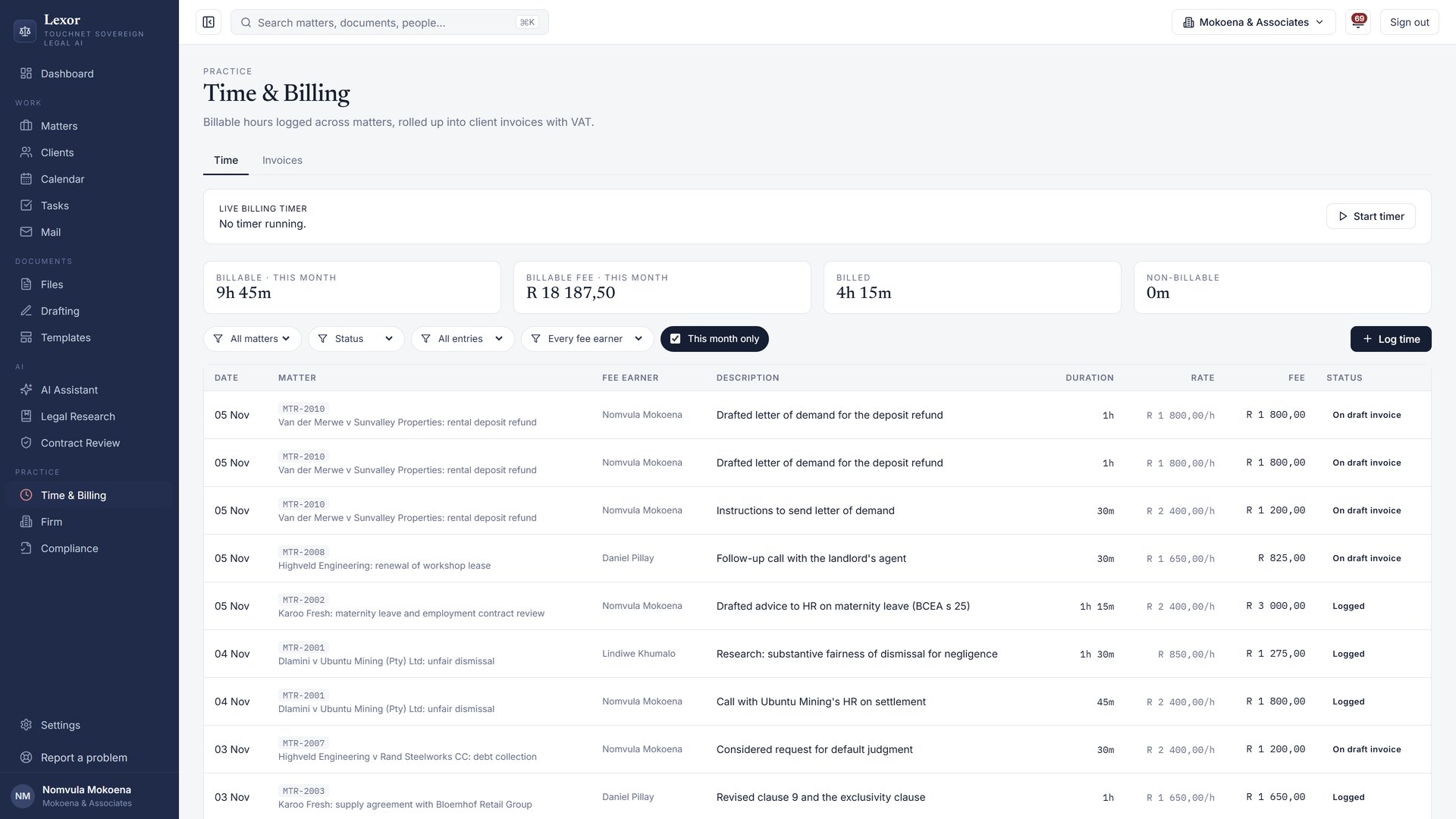
Time is logged at each attorney's own rate and becomes a tax invoice. Lexor tracks what is overdue, drafts reminders and matches payments.
Email on the matter
With Microsoft 365 connected, every email to or from the people on a matter shows on its Emails tab. One click files it.
Client FICA
Send the client a secure upload link: no account or password for them. Their ID and proof of address land on the checklist. You verify; nothing counts until you do.
Court-ready papers
Pick the court and the document takes on its font, spacing, margins, numbering and heading block. A one-click check lists anything that doesn't meet the rules.
From the morning dashboard to the paid invoice.
- Morning: this week's deadlines, open tasks, overdue invoices and the matters you were working on.
- A question on a matter: the AI answers from the matter's documents and emails, and looks up the law first.
- A letter: drafted from the facts, every legislative reference checked, edits as tracked changes.
- Court papers: the court's format applied, and checked against its rules.
- Billing: time on the invoice with VAT; payments matched from your bank statement.
Look it up, check it, mark what can't be checked.
Before answering
Lexor identifies the Act and sections the question is about and fetches their exact text from Laws.Africa. Named sections are fetched by number, not by search.
While answering
The model writes with that text in front of it. In the editor its changes arrive as tracked changes, so nothing goes into a document without you accepting it.
After answering
Every statute reference is checked against the fetched section. A draft shows “N citations checked against the law”; anything unverifiable is marked [CHECK].
Case law is cited from the model's knowledge and marked as unverified unless the judgment is in Lexor's library. Lexor is not a replacement for professional judgement: every answer carries the note that a person must check it before relying on it, and sources are one click away.
Features, as they stand today.
| Area | Built and in use | Planned |
|---|---|---|
| Matters and clients | Matters with documents, versions, tasks, deadlines, people and history; clients shared across the firm; everyone on a matter works on it as their role allows; legal hold; ethical walls; deleted items kept 30 days. | Court-rules deadline calculator |
| AI on the matter | An AI panel on every matter answers from its documents and emails, looks up the law on request and shows verified citation cards. Answers become memos, tasks, deadlines or letters. | Voice dictation |
| Drafting | AI first drafts; the AI beside the document with tracked changes, accept or reject and undo; templates from your own Word precedents; Word and PDF. | |
| Court documents | Format presets for the High Court divisions, Magistrates', Labour, SCA and Constitutional Court; the court heading from the matter; a rules check; indexed, paginated, searchable bundles for CaseLines. | Direct upload to Court Online |
| Client FICA | A checklist per client type and person; a secure upload link with an emailed code; automatic filing of documents clients email in; the AI reads type and dates; the attorney verifies; reminders; 5-year retention. | Automated PEP and sanctions screening |
| Email and calendar | Microsoft 365: the inbox in Lexor; each matter's emails on its Emails tab; one-click filing without duplicates; Outlook calendar and Teams meetings. | Google Workspace |
| Time and billing | Time per fee earner at their own rate; invoices with VAT (no VAT on exempt disbursements); payment tracking; reminders drafted for approval; a Pay now link; bank statement and payment-notification matching. | Trust accounting (design under review) |
| Contract review | A clause-by-clause risk report in about 30 seconds, filed on the matter you choose. | Redline output |
| Firm compliance | Fidelity Fund, PI cover, trust audit, FIC, B-BBEE, POPIA and more, with renewal reminders. The AI reads uploaded certificates; nothing counts until a person confirms. | |
| Teams and roles | Custom rates, permissions and roles. Partners assign the work, and when someone leaves, their matters move over in one click. | |
| Help | Help on every page, “Ask Lexor” for how-to questions, a getting-started checklist and “Report this” on every error. | |
| Audit | Every view, change, download and AI request recorded in a tamper-evident log, with export. | SIEM export |
Coming next: online payment confirmation through PayFast (built; final testing), direct bank feeds (Investec built; others as banks allow), trust accounting designed with an attorney's review against the LPC rules, a court-rules deadline calculator, and a sovereign legal assistant on WhatsApp that refers the public to Lexor firms.
Register, invite, start on real matters.
A firm can register itself at app.legal-ai.co.za and start the same day, on the Pilot plan at no cost.